Inteknix
How Sandwell Community Caring Trust Replaced a Legacy Access Database with SharePoint in Under a Month
Sandwell Community Caring Trust moved thousands of care placement, contract and occupancy records out of a long-standing Microsoft Access database into structured SharePoint lists, with a single Power Apps canvas app as the front end.

Access retired, records now in Microsoft 365
Thousands of records, one canvas app
Live within a month of sign-off
Executive summary
Sandwell Community Caring Trust relied on a Microsoft Access database to hold the operational records behind its care services: the people it supports, commissioning bodies, contracts, funding streams, package requests, work units, bedspaces and holidays. The structure served the Trust well, but the platform no longer matched where the organisation was heading. It was clunky to work in, tied to the desktop, and sitting outside the governed Microsoft 365 environment that held everything else.
Inteknix rebuilt the data model as a set of related SharePoint Online lists and delivered a single Power Apps canvas app as the everyday interface for a team of 10 to 12 staff, with Power Automate handling routine record updates in the background. Thousands of records across around a dozen linked entities were migrated. Because the data volume was modest, SharePoint Online was the appropriate data store, which meant no Dataverse and no premium Power Platform licensing. The system went live within a month of sign-off and is in daily use.
At a glance

About the Client
Sandwell Community Caring Trust is a registered charity established in 1997, providing accommodation, care and support to older people with dementia and to adults with learning disabilities and complex health needs. Operating as a social enterprise across the West Midlands, the Trust delivers residential care, supported living, day care and respite services, with a long-term commitment to offering the people it supports a home for life.
Services used:
The challenge
The Trust's operational records lived in a Microsoft Access database built up over many years. It held around a dozen linked entities covering the people supported, the commissioning bodies funding their care, the contracts and funding streams behind each placement, incoming package requests, work units, bedspace occupancy and holidays.
The structure worked. The platform underneath it no longer suited how the Trust wanted to operate:

The approach
Inteknix began by mapping the existing Access schema in full, recording every table, relationship, form and query. That exercise established which entities needed to move across intact and where relationships had to be preserved so that the migrated records behaved as they had before.
The design decision was to rebuild the data model in SharePoint Online rather than Dataverse. The database was not large, so SharePoint lists comfortably carried the record volume while supporting the relational structure the Trust needed through lookup columns. That choice kept the solution inside the Trust's existing Microsoft 365 environment and avoided premium Power Platform licensing entirely. Given that the records concern vulnerable adults, bringing the data inside the Trust's own governed tenant, under its established permissions and retention controls, was a deliberate part of the design rather than a by-product.
The existing data was in good order, so no significant cleansing exercise was required. Records were mapped and migrated directly into the new lists.
The solution

A relational data model rebuilt in SharePoint Online
Each core entity became its own SharePoint list, with lookup columns preserving the relationships the Access database depended on. Clients, commissioning bodies, contracts, funding streams, package requests, work units, bedspaces and holidays are now structured, queryable records.
A single canvas app for daily use
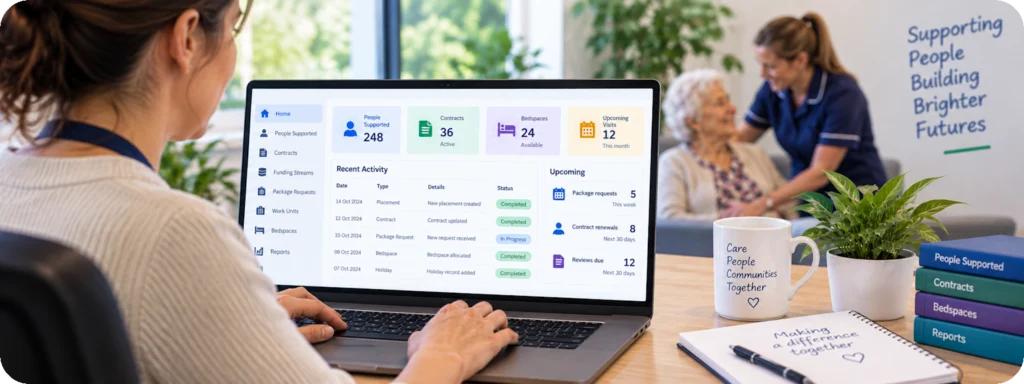
One Power Apps canvas app gives the team a single interface across every list, with screens designed around how staff actually work. It runs in a browser under each user's Microsoft 365 account, so it is no longer tied to the machines the database was set up against.
Placement and bedspace visibility
Work units and bedspaces are linked to the people occupying them, so occupancy and availability are visible directly. Package requests can be matched against available capacity as they arrive.
Contract and funding visibility
Contracts and funding streams are held against each placement, alongside holiday records, giving the Trust a consistent view of what is funded, by whom, and under which arrangement.
Automated record updates
Power Automate applies routine record updates in the background, so changes are made consistently across related records rather than by hand.
Governed access within the existing tenant
Access is controlled at the SharePoint level, through the Trust's existing Microsoft 365 identity and permissions model, with version history providing a record of changes. Governance sits with the platform the Trust already administers rather than in a separate system requiring its own management.
The outcome
The Trust's operational records now sit in Microsoft 365 rather than in a standalone database file. The team works in the same records through a browser rather than from particular machines, and the platform underneath is maintained by Microsoft as part of the environment the Trust already runs.
Because the solution was built on SharePoint Online, Power Apps and Power Automate, it inherits the security, permissions and audit capability the Trust already has in place, which matters for records relating to funded care for vulnerable adults. The modest data volume meant SharePoint was the right data store, so there was no Dataverse requirement, no premium licensing, and no third-party platform to buy or support. The system is live and in daily use.
Key results
Conclusion
Microsoft Access has kept a great many organisations running for a long time, and it rarely fails outright. It simply stops being the right home for records that a team needs from more than one machine, inside an environment the organisation governs. By rebuilding the model in SharePoint Online and putting a single canvas app in front of it, Sandwell Community Caring Trust kept the structure that worked and changed the platform that no longer did, inside a month.










Who else does Inteknix help with Microsoft Access migration?
Our Access migration work suits organisations whose core operational records still live in a long-standing Microsoft Access database, and who want them brought into the Microsoft 365 environment they already govern.
We often help teams whose database structure still works well, but whose day-to-day experience is clunky, desktop-only and out of step with where Microsoft is investing.

Charities and not-for-profits
Organisations that need dependable systems without taking on premium licensing or another platform to support.

Health and social care providers
Providers managing placements, contracts, funding and occupancy records for the people they support.

Operations and administration teams
Teams working daily in legacy databases that have become slow and awkward to use.

SMEs and growing businesses
Organisations relying on Access databases that no longer suit how they want to work.
Frequently asked questions


Looking to achieve similar results?
If your organisation still depends on a Microsoft Access database that has outgrown the desktop, a SharePoint and Power Apps solution can preserve the structure while bringing the records into the environment you already govern.


