Inteknix
Power Automate Workflow Automation for UK Organisations
Microsoft Power Automate is a workflow automation platform for connecting Microsoft 365 systems and automating business processes — from instant approval flows to scheduled tasks and robotic process automation for legacy systems.
Inteknix designs and builds Power Automate solutions that eliminate manual admin, reduce bottlenecks and make business operations more consistent. As a certified Microsoft Partner with Cyber Essentials certification, delivering Microsoft solutions since 2012, we shape every automation around how your organisation actually operates — whether you need an automated approval chain, a cloud flow connecting Microsoft 365 tools, a desktop flow handling legacy tasks or a full workflow automation programme.
Trusted by UK organisations improving
business processes with Microsoft Power Platform













Custom Power Automate flows. Structured delivery. Real results.
Inteknix helps organisations replace manual approval chains, email-based handoffs and repetitive data entry with structured Power Automate solutions built on Microsoft Power Platform and Microsoft 365. Our approach combines process analysis, automation design and practical delivery to create workflows that are reliable, easier to govern and aligned with real operational needs.
For organisations that want to plan the right approach before building, we also provide Power Automate consultancy.
What can you automate with Power Automate?
Power Automate handles everything from single approval flows to organisation-wide automation programmes. Inteknix builds six main automation types, each connected to your existing Microsoft 365 environment.

Cloud flows
Automated, scheduled and instant flows connecting SharePoint, Outlook, Teams, Dataverse and Power Apps — handling approvals, notifications, routing and data updates without manual intervention.

Approval and decision workflows
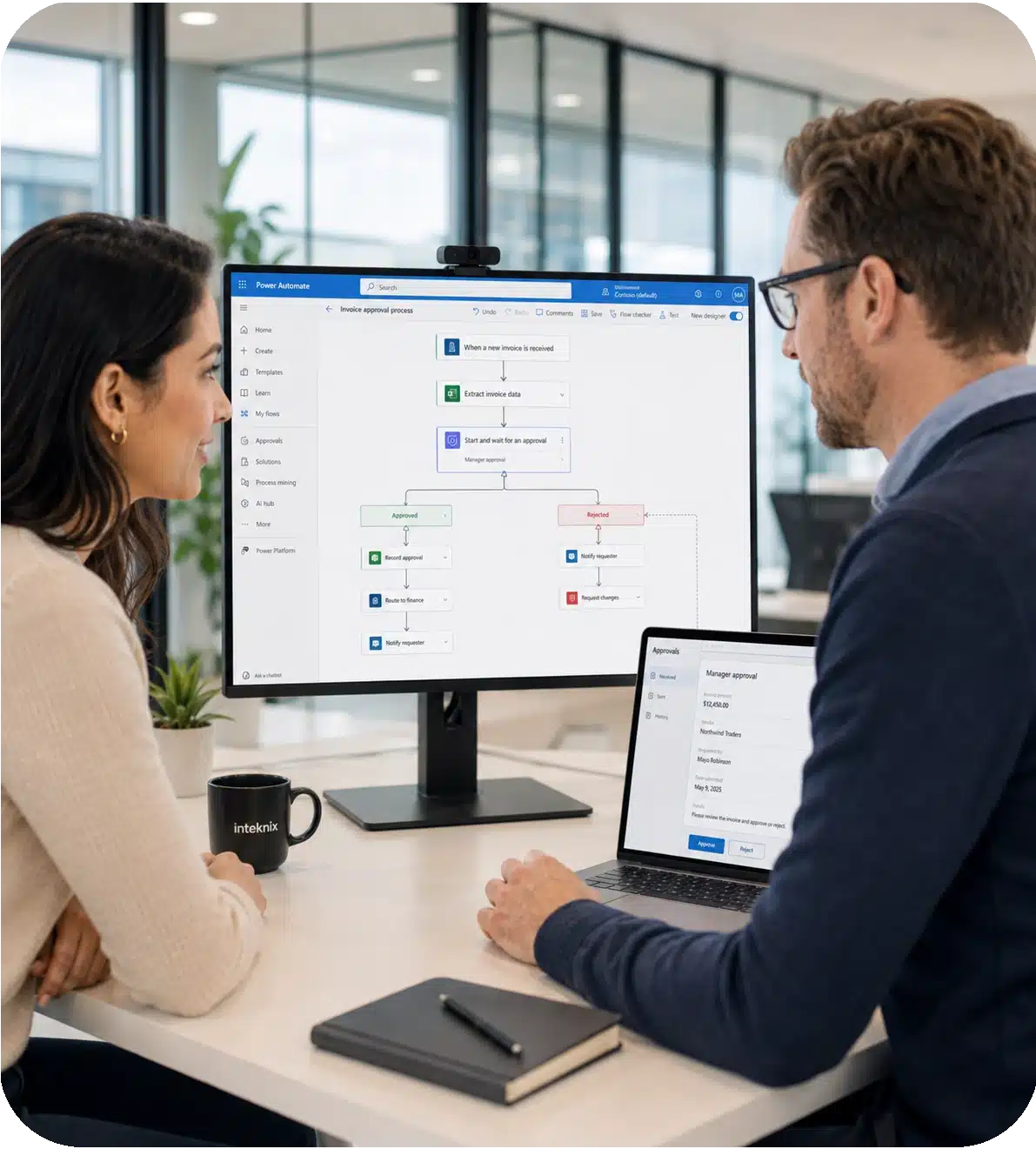
Structured approval flows that route requests to the right people, apply conditional logic based on defined business rules, generate audit trails and notify stakeholders at each stage.

Desktop flows and RPA
Robotic process automation that replicates manual, screen-based tasks in legacy systems and desktop applications — reducing repetitive handling where modern connectors are not available.

Business process flows
Guided flows built within Dynamics 365 or model-driven Power Apps that walk users through a defined sequence of steps — supporting consistent service delivery, onboarding and case handling.

Document and data handling flows
Automations that process incoming documents, extract and route information, store files in the correct SharePoint location and trigger downstream actions based on content or status.

Power Apps-connected automations
Flows built to work directly with Power Apps — handling background approvals, data writes, status updates and notifications that keep app-based processes moving without manual follow-up.
Power Automate within the Microsoft 365 ecosystem
Connected Power Automate, SharePoint, Teams, Outlook, Power Apps, and Dataverse solutions
Power Automate works best as part of a connected Microsoft environment. Inteknix designs solutions that integrate with SharePoint document libraries, Microsoft Teams channels, Outlook inboxes, Dataverse records, Power Apps forms and Power BI reporting — creating joined-up business operations rather than isolated automations.
A flow built by Inteknix does not sit in isolation. It connects to the tools your teams already use, moves data between the right systems and supports wider operational processes from a single, governed Microsoft 365 environment.

Where does Power Automate create value?
Inteknix builds Power Automate solutions that cut manual admin, speed up approvals and make critical processes consistent and auditable.

Less manual admin
Replace repetitive data entry, email-based approval chains and manual routing with structured flows that handle the same processes more reliably and with significantly less effort.

Faster approvals and decisions
Remove the delays that build up when approvals sit in inboxes, handoffs depend on individuals or status updates require manual follow-up — replacing each friction point with a defined, automated step.

Consistent and auditable processes
Create repeatable, governed workflows with clear audit trails, defined rules and proper permissions — so critical processes run the same way every time, regardless of who is involved.
Who is Power Automate suitable for?
Power Automate suits organisations that lose time to repetitive tasks such as approvals, notifications, data entry and document handling.
Inteknix often works with teams moving information between systems by hand, chasing sign-off by email, or repeating the same set of steps every single week.

SMEs and growing businesses
Businesses that need practical, cost-effective systems that can grow with their operations.

Operations teams
Teams managing requests, tasks, inspections, assets, approvals or service processes.

Finance teams
Teams handling purchase orders, approvals, queries, reporting, reconciliation or document-heavy processes.

HR and people teams
Departments managing onboarding, employee requests, policies, forms, approvals and internal processes.
Our Power Automate consultancy and workflow automation services
How Inteknix Helped Sanderson Automate Purchase Order Processing
Sanderson's Finance team receives hundreds of purchase orders from customers by email every month, arriving in every format imaginable — PDFs, Word documents, image-based files, and sometimes content sitting in the body of the email itself. Every one was saved, read, and re-keyed by hand.Inteknix built an automation that monitors the mailbox, extracts the key details from each purchase order regardless of format, and files everything in SharePoint with searchable metadata — enriched with data from their core business system. What was a manual reading-and-re-keying task now runs automatically across hundreds of purchase orders every month, with a single source of truth replacing hours of filing. That project grew out of earlier work automating notifications for Sanderson's Contracts team, and Inteknix now provides ongoing Power Platform consultancy to Sanderson as their trusted partner.
Why do UK organisations choose Inteknix for Power Automate?
Process first, technology second
Inteknix takes a business-first approach. Every project starts with the process, the operational need and the outcome the organisation is trying to achieve — not with the automation tool. Because we work across Power Automate, Power Apps, Dataverse, SharePoint and Microsoft 365, we create joined-up solutions rather than isolated flows.
Outcomes & impact
How does Inteknix deliver Power Automate solutions?
Inteknix follows a clear, repeatable five-step process so every automation is properly understood, designed and tested before it goes live.

Understand
Inteknix follows a clear, repeatable delivery process so that every Power Automate solution is properly understood, designed, and tested before it goes live.
Define
The right Power Automate approach is identified — including flow types, trigger logic, connector requirements, approval routing, and delivery priorities.
Design
The automation structure, conditional logic, Dataverse or SharePoint data model, and wider Microsoft 365 fit are defined and documented before build begins.
Deliver
The Power Automate solution is built, configured, and tested in a controlled and practical way — with key process owners involved throughout.
Support
Inteknix helps refine, support, and evolve Power Automate flows over time as business needs change, processes are updated, and new automation opportunities emerge.
Microsoft Power Automate — frequently asked questions


Ready to automate the processes slowing your teams down?
If approvals sit in inboxes, data is re-keyed between systems or important processes depend on someone remembering to chase — Inteknix can help you define the right approach and deliver automation that is practical, governed and built to last.


